My Responsibilities
UX design
Research and testing
Visual design
Direct Contributors
Product manager: Mondrian H.
Development lead: Joe K.
Content stragegy: Elise Y.
Other Contributors
Design pattern team
Account management team
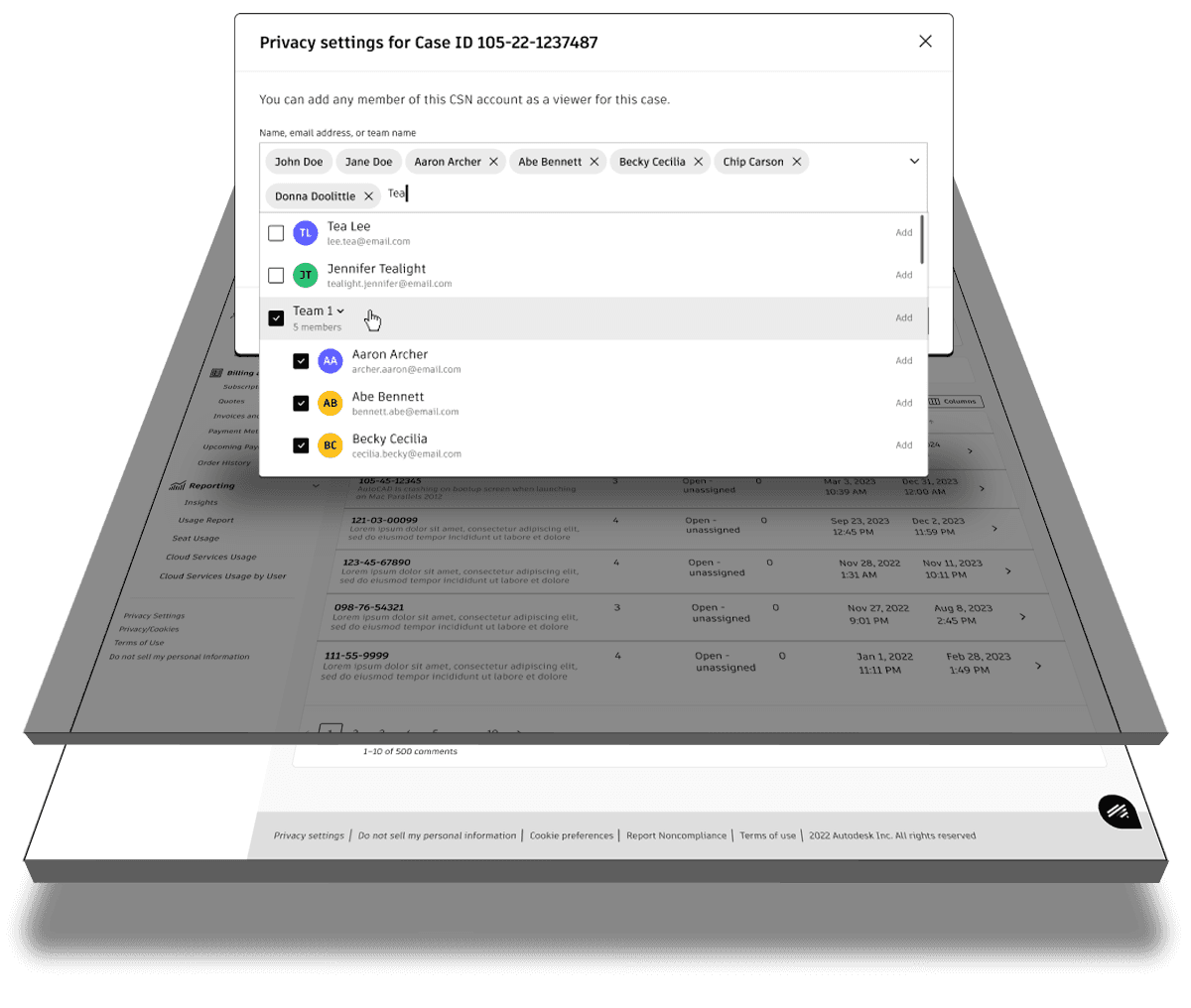
Autodesk’s highest-value customers required strict privacy controls as part of their operational standards. However, the legacy support case management portal lacked the flexibility to manage view permissions, leading to numerous support tickets and broken trust with some of Autodesk’s biggest clients. After modernizing the case portal platform, the next step was to introduce controls that allowed organizations to define who could view specific support cases. This project focused on designing and implementing granular privacy settings to meet enterprise-level requirements.
Problem
Enterprise customers needed the ability to control who could view internal support cases. Autodesk’s existing platform lacked this functionality, creating a gap that needed to be address the needs of high-value clients and maintain trust.
Goal
Enable customers to manage and control support case visibility within their organization, ensuring only authorized users have access to support cases. And drive down the volume of privacy related support cases
Role
I served as the sole designer responsible for rapidly crafting a solution within development constraints that allowed customers to manage support case visibility across their organization.
Process
Working from rough wireframes, I partnered closely with my product manager and engineering team to define feasible options. With a tight timeline, I created a solution allowing administrators to select specific users to view their organization's support cases.
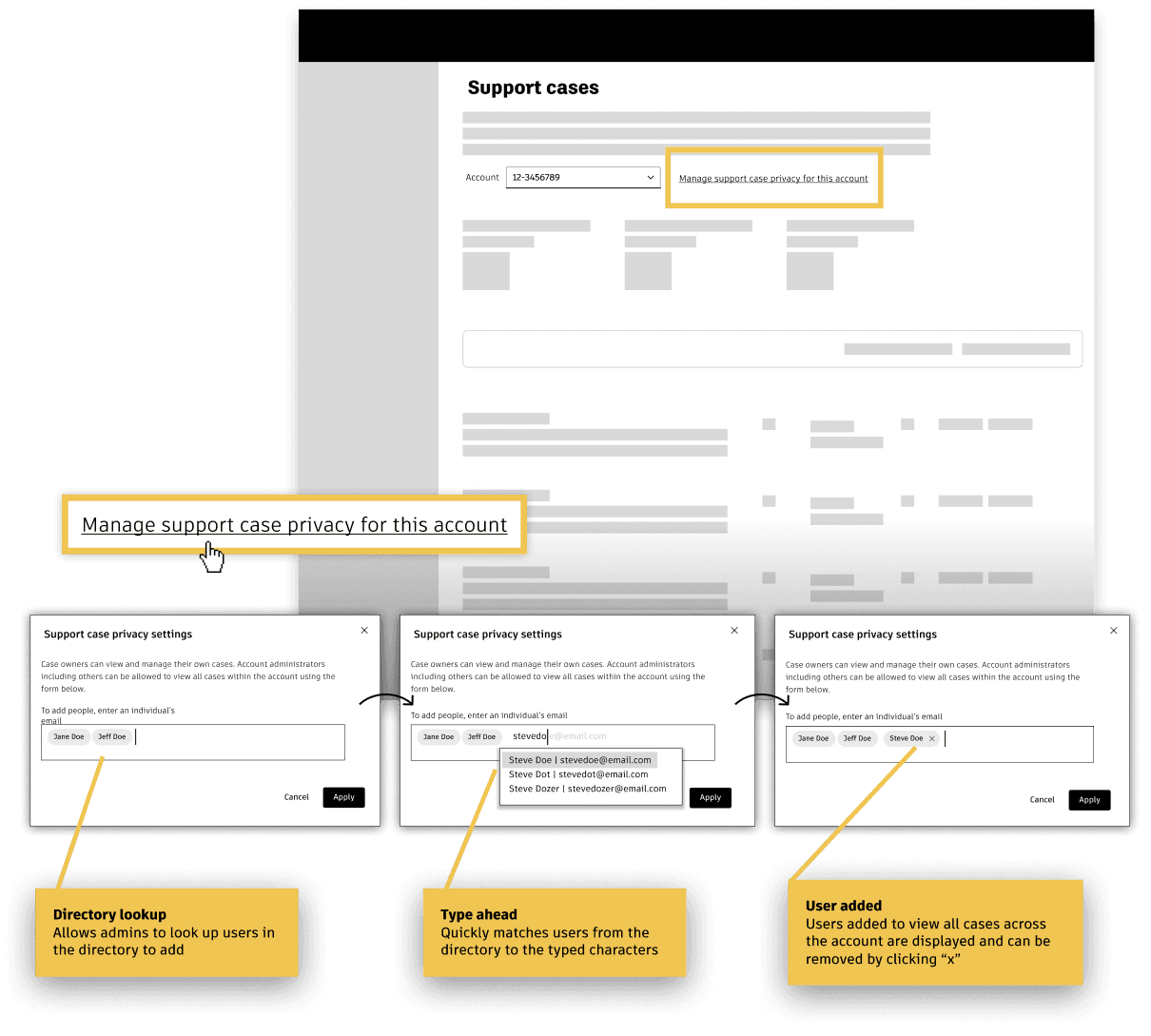
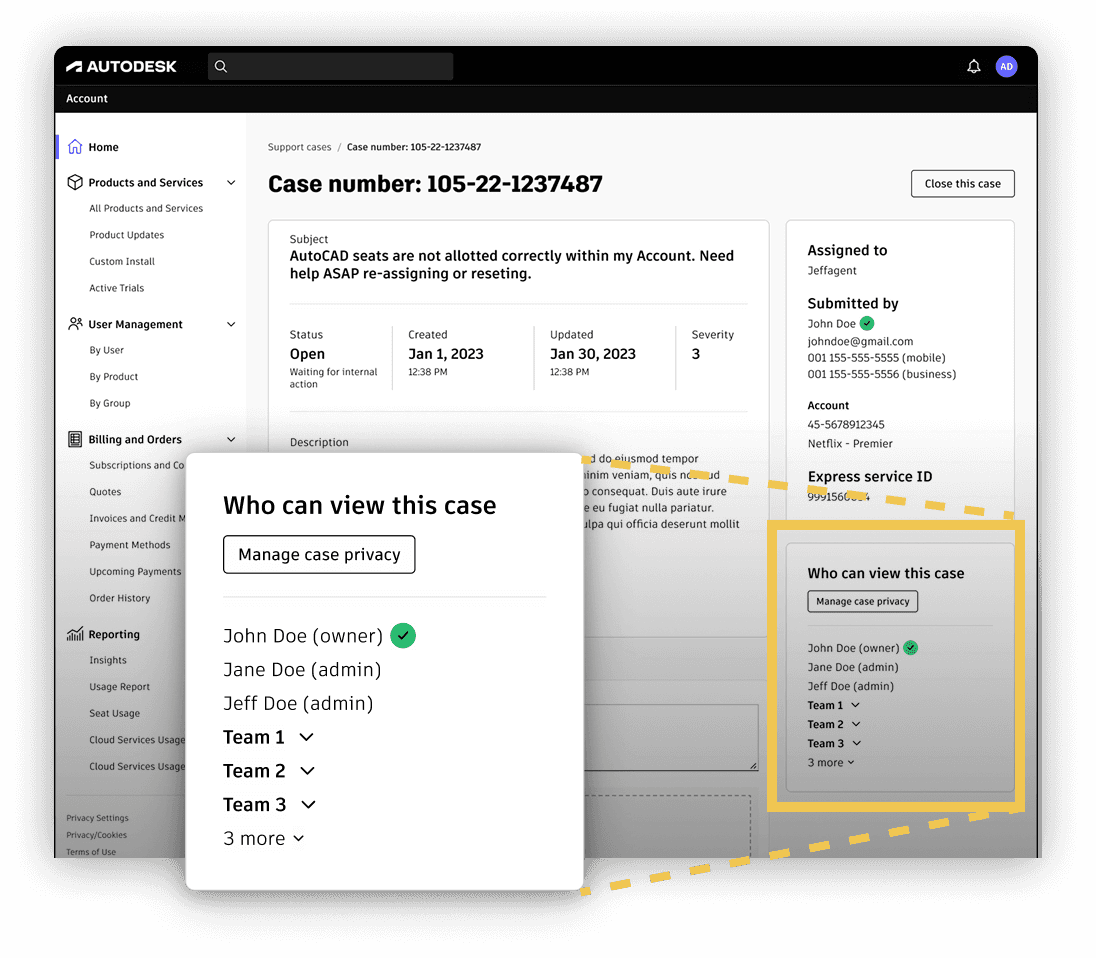
The first solution was to approach privacy at the account level: allowing designated users to view all support cases within an organization. People who could view the case were shown on each case's detail page.
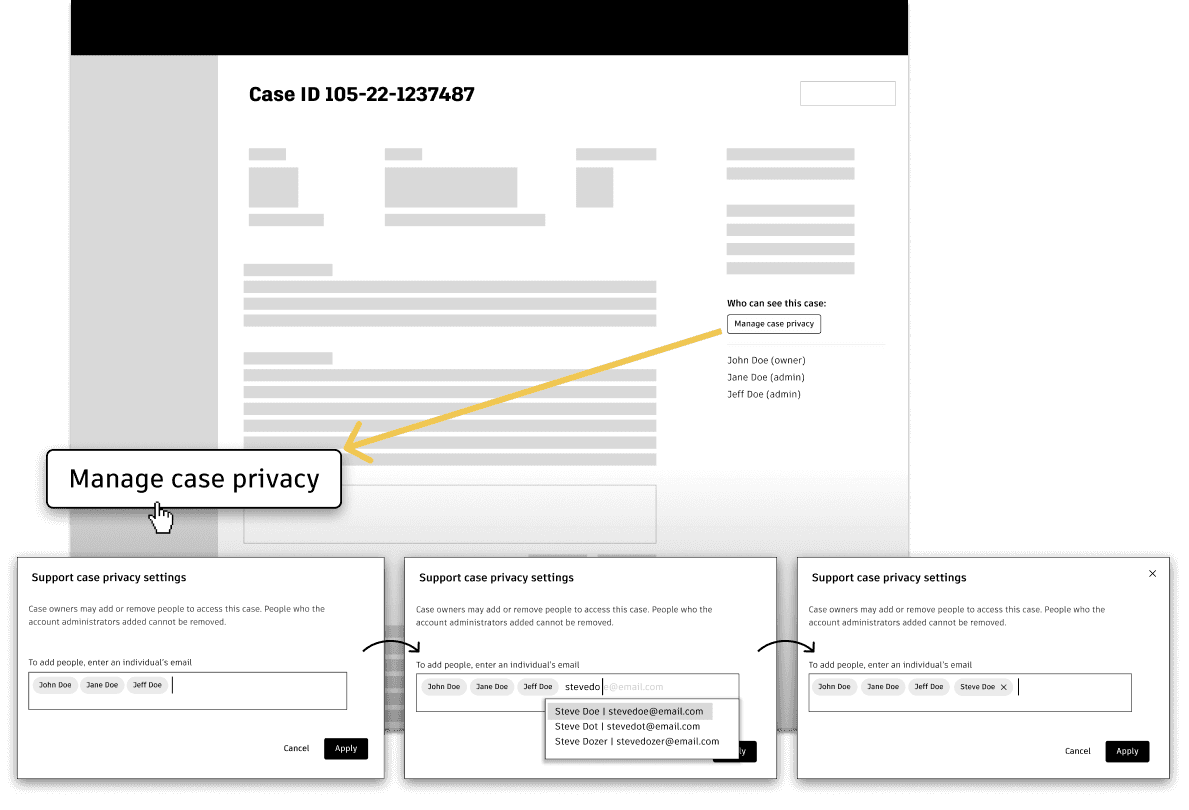
The second solution was at the individual case level: enabling privacy settings on a per-case basis.
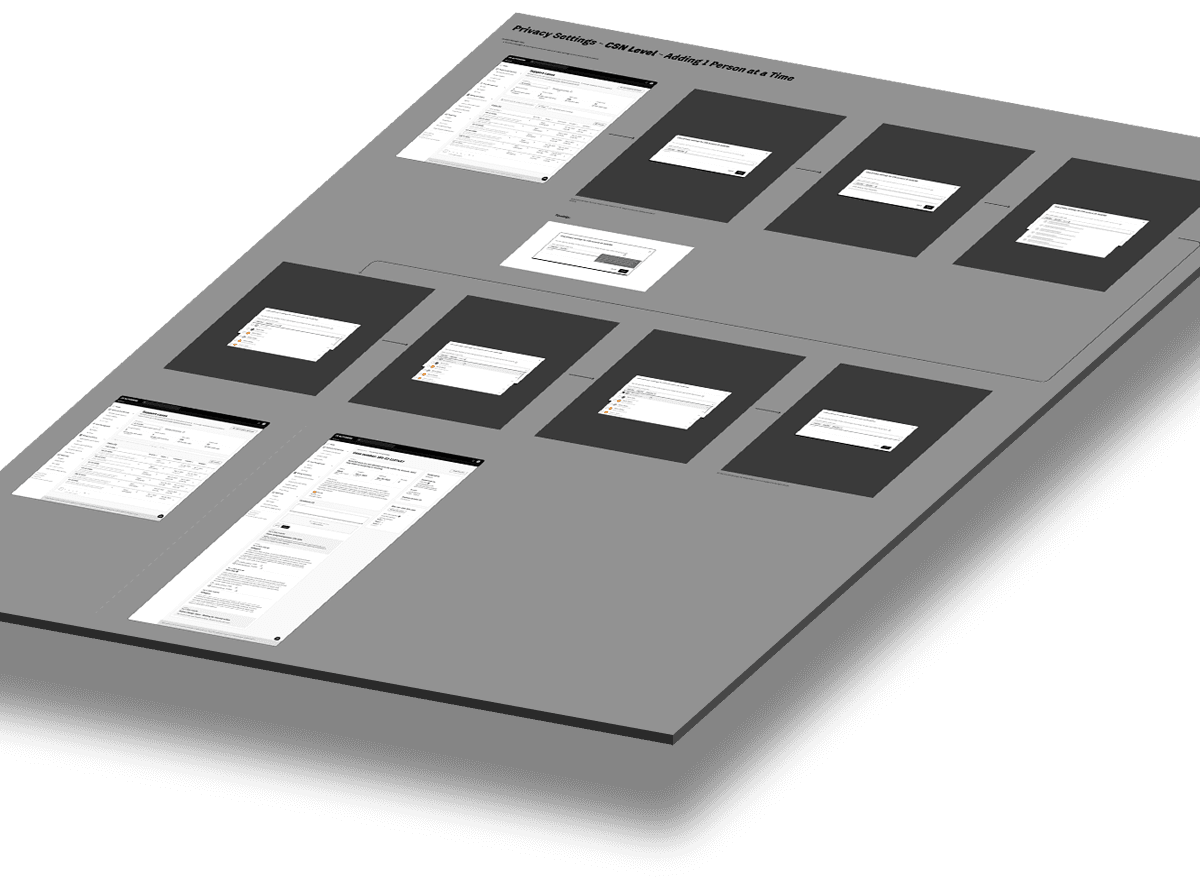
Developers used the detailed flow spec above as a guide to instruct them on how to implement the new feature.
Utilizing Teams
For admin convenience, I also pitched a feature to filter by teams. While my product manager and I saw this as a valuable enhancement, the developers noted that team structures were not accessible through the same database query used for individual lookups. As a result, we earmarked this feature for a future release.
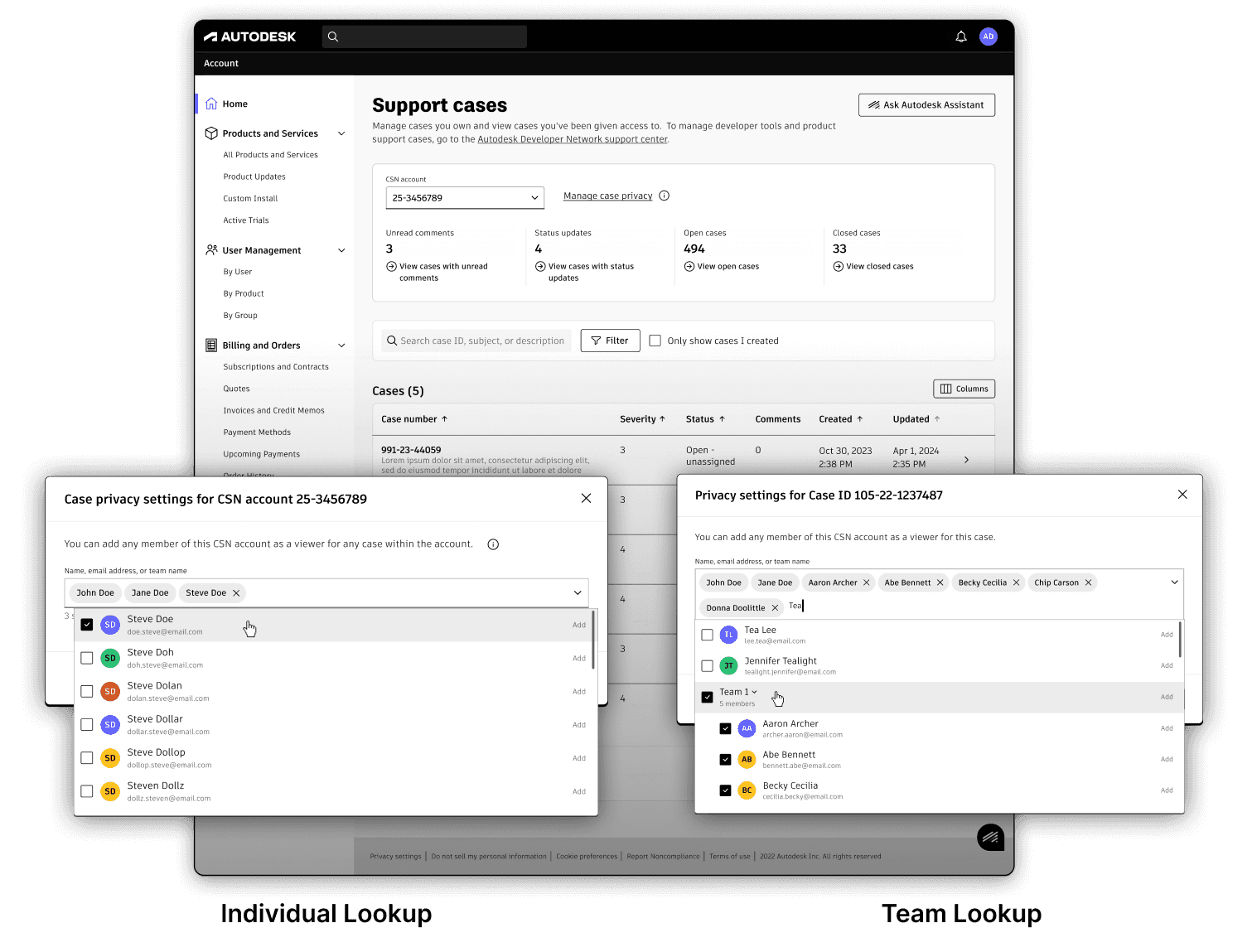
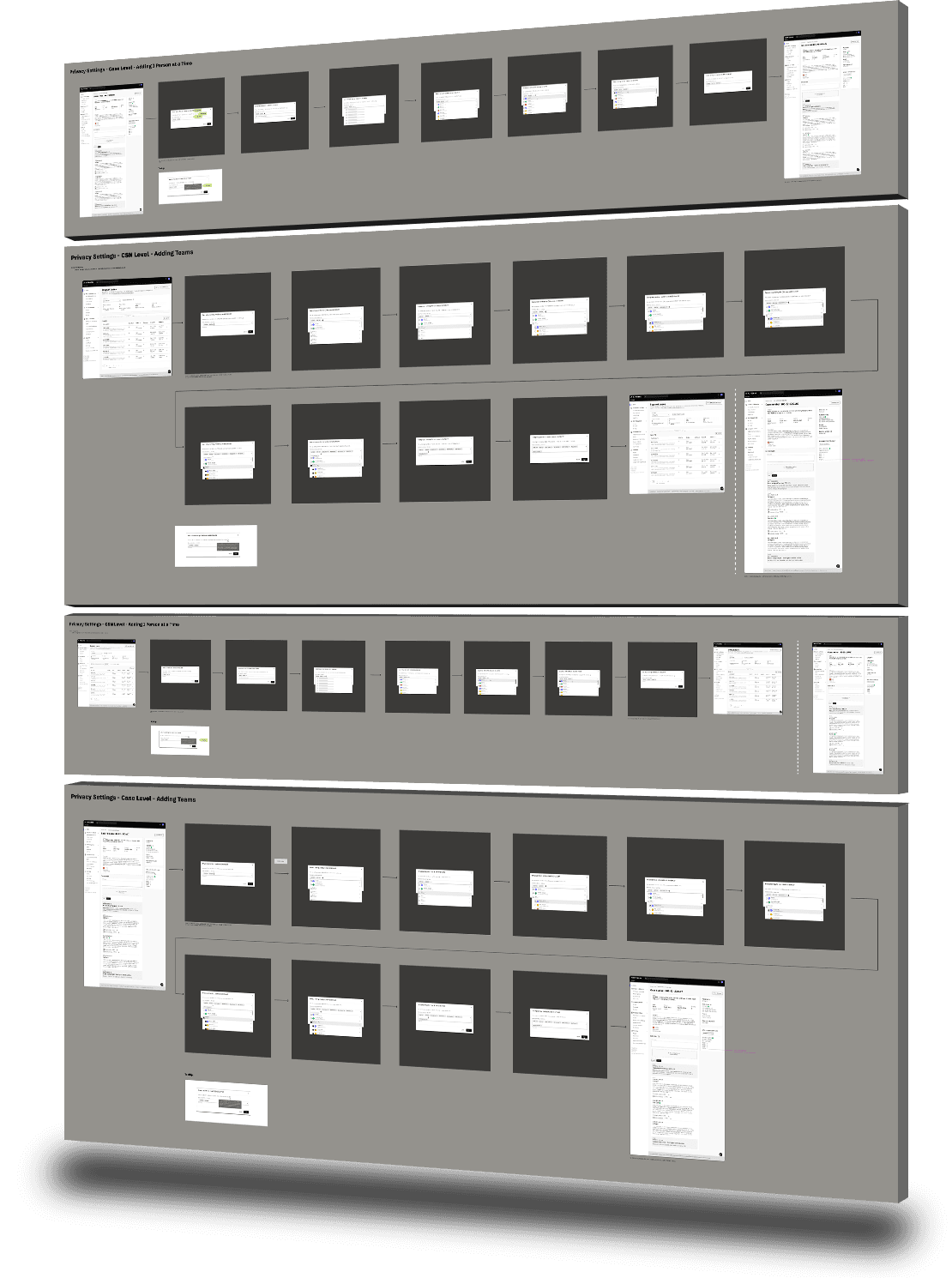
I made flow studies to analyze different ways to implement the more granular privacy controls with different features. In the end, due to development effort costs, we only implemented one method of privacy controls.
Work Flow and Visual Designs
In summary the final privacy controls were selected primarily for the account level without the teams capability. Below is an animation of the workflow with full visual design.
Outcome
With support from our account managers, my PM partner and I demoed the new feature to our enterprise administrator customers, who unanimously approved and validated it as a solid baseline for meeting their privacy requirements.
They also highlighted several additional use cases they hoped would be addressed in a future phase.

In the first three months, privacy support tickets went down by 10.2%. Our goal was 10%, beating our goal by 0.2%.
The ultimate goal was to reduce privacy related support tickets by 80% in 1 year. This was because the bulk of support tickets requested the addition of specific people as admins in order for them to view all their support tickets

With the growing customer demand for privacy concerns, implementing our baseline privacy controls sparked additional conversations with customers about potential new features. While no roadmap commitments have been made, many features have been documented and are ready for scoping.
Takeaway
As a user experience designer deeply immersed in the support cycle, I developed strong empathy for users who were already frustrated enough to submit a support ticket, only to be met with an outdated, limited legacy portal. Enhancing privacy controls was just one small step toward addressing a much larger opportunity to improve the support journey. I became genuinely passionate about this space, recognizing how even modest improvements could significantly impact the user experience.